VIP Loyalty
Discount System
A travel company wanted to automatically reward loyal customers with a discount code — based on payment history, cumulative spend, and order value. No manual review, no analyst in the loop. Just a rule running server-side and firing emails automatically.
The problem
A travel booking company wanted to reward loyal customers automatically — sending a discount code when a customer met certain criteria around their order value, payment history, and total spend. The existing process required manual review: someone had to check the customer record, verify eligibility, and send the email themselves.
The goal was to fully automate this — no manual steps, no separate scripts, and no business logic scattered across individual apps or flows. The eligibility check needed to be reusable, consistent, and callable from anywhere in the Power Platform.
How it was built
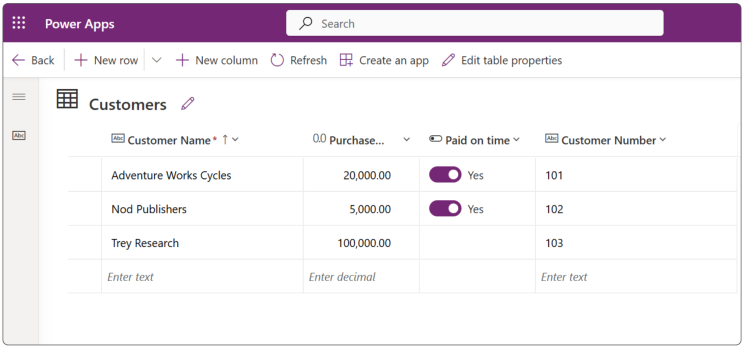
Built a Customers table with the fields needed to evaluate loyalty: Purchase Amount (YTD), Paid on Time (boolean), and Customer Number. This became the single source of truth for eligibility checks — not a spreadsheet, not a SharePoint list, but a proper relational table with server-side processing.
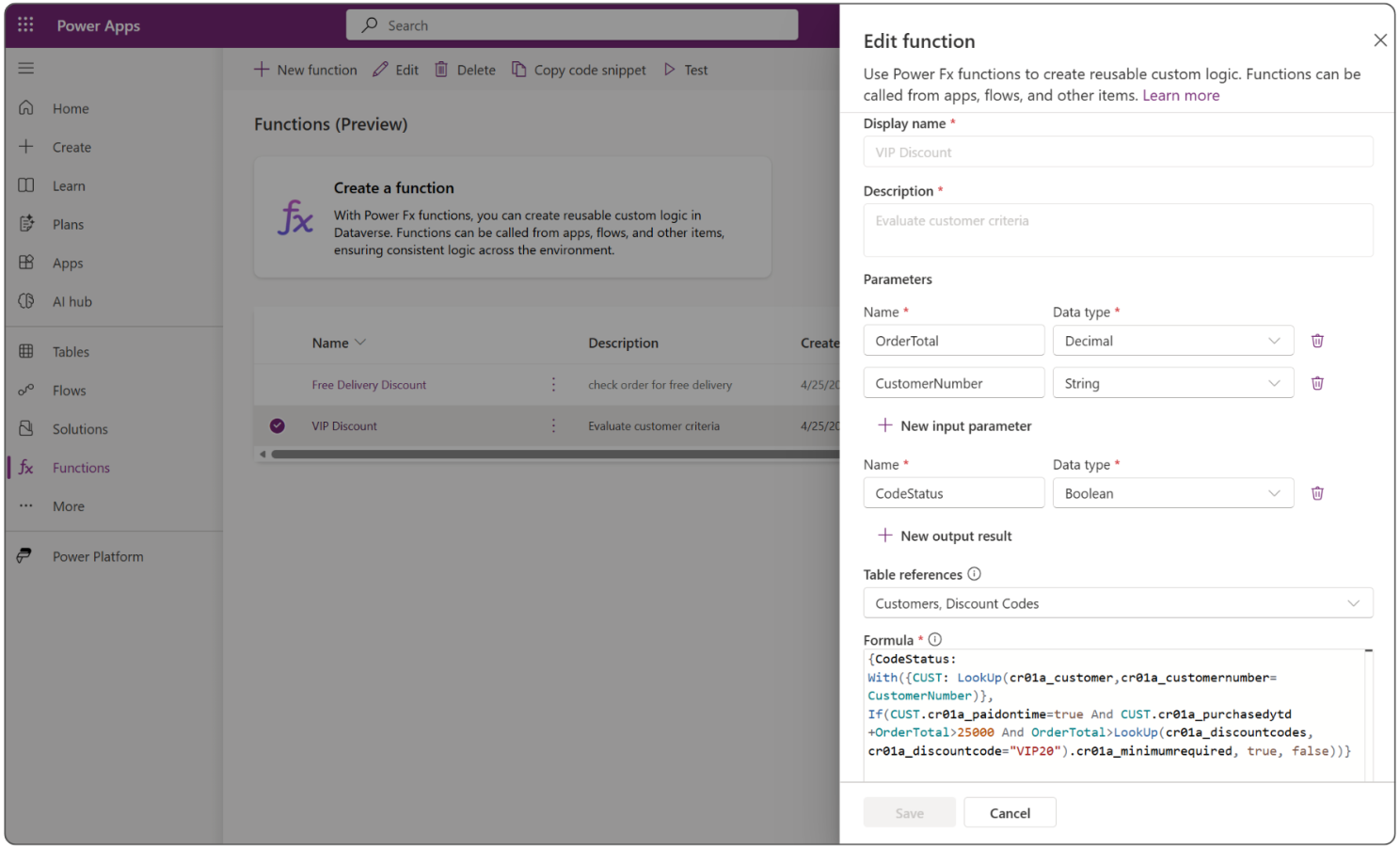
Instead of writing the eligibility logic inside a canvas app or a flow, I built it as a reusable Power Fx function directly in Dataverse. The function takes two inputs — OrderTotal and CustomerNumber — and returns a boolean. It checks three conditions in one expression: did the customer pay on time, does their cumulative spend plus this order exceed $25,000, and does the order value meet the minimum required for the VIP20 code.
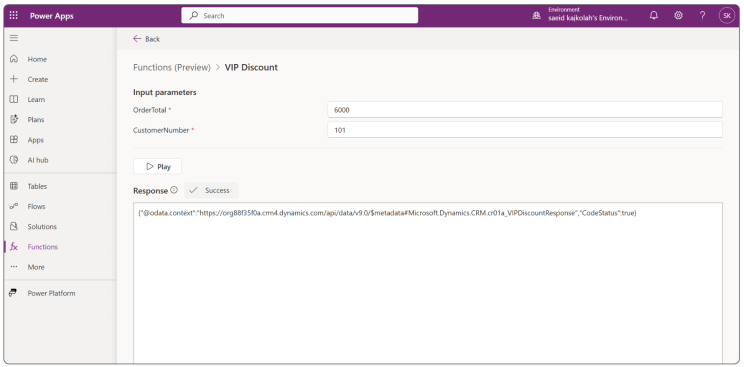
Before connecting anything to the flow, I tested the function in Dataverse’s built-in test panel by passing real input values — OrderTotal: 6000, CustomerNumber: 101. The function returned CodeStatus: true, confirming the logic was working correctly against live data before any flow was triggered.
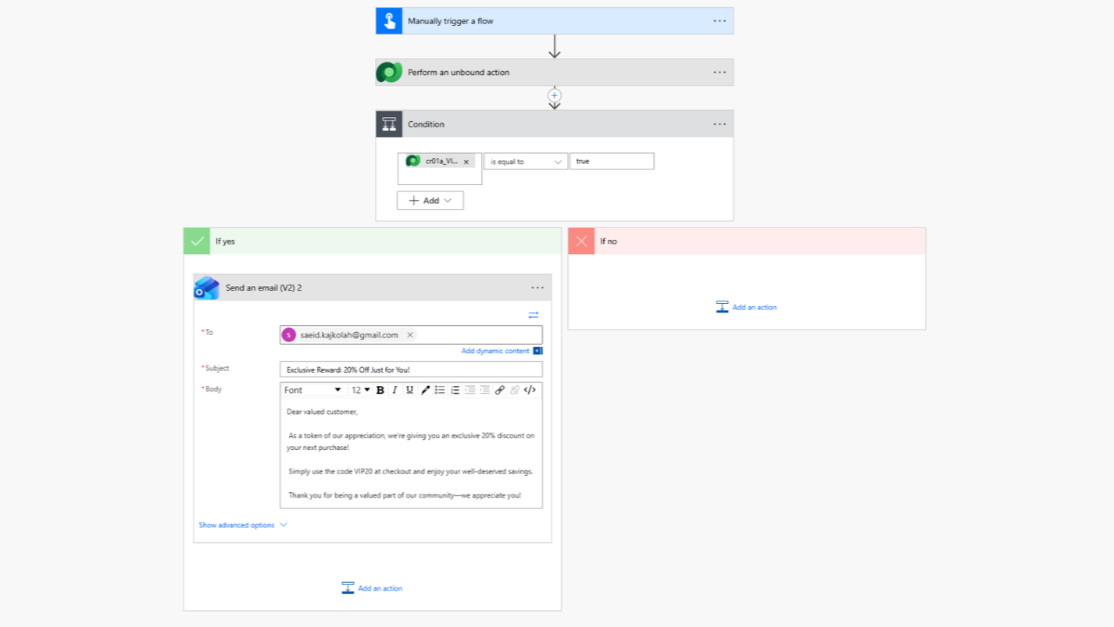
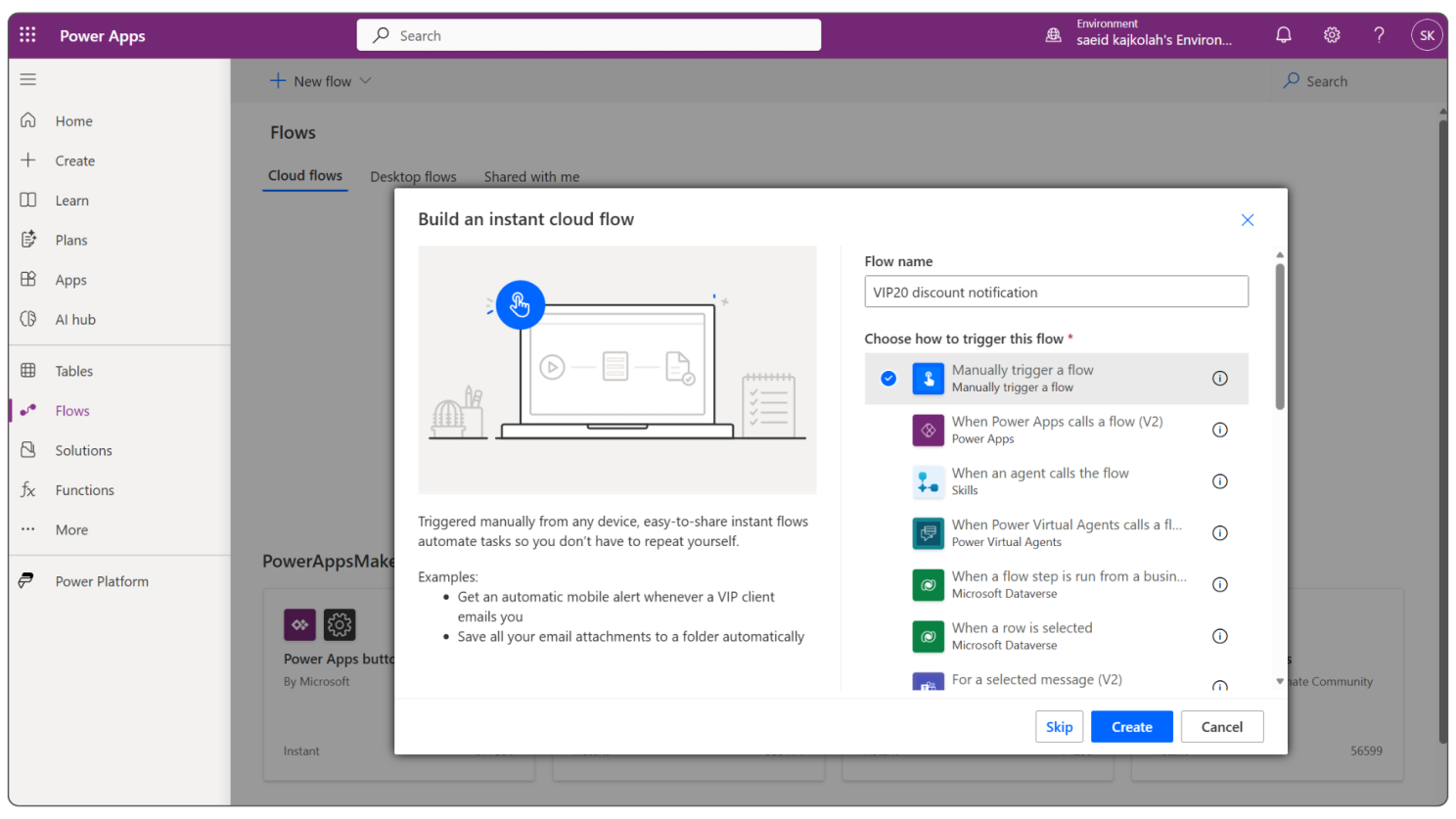
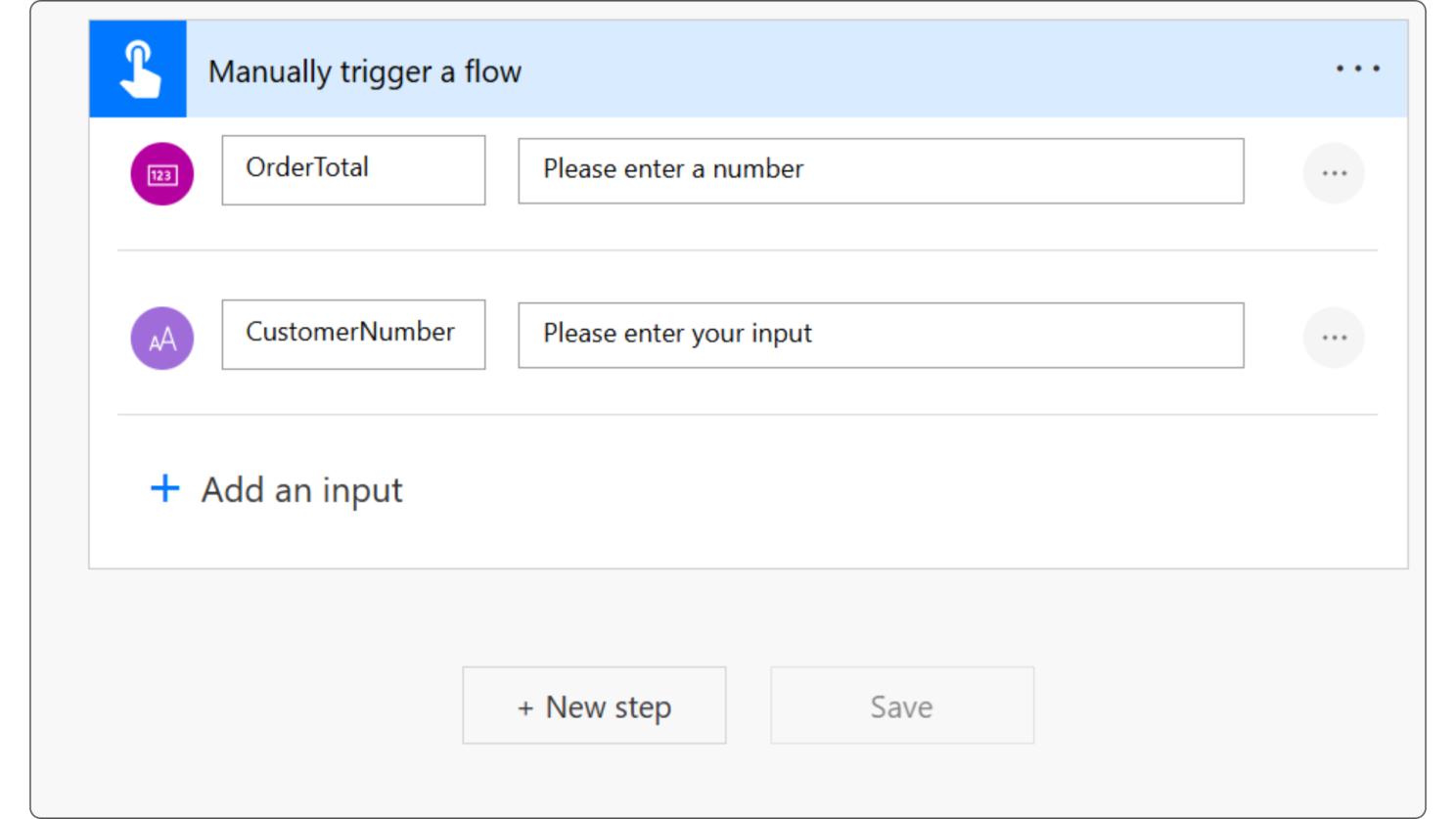
Built an instant cloud flow in Power Automate triggered manually — so it can be called from a canvas app button, a Power Apps trigger, or any other entry point without rebuilding the logic. Two inputs were defined: OrderTotal (number) and CustomerNumber (text).
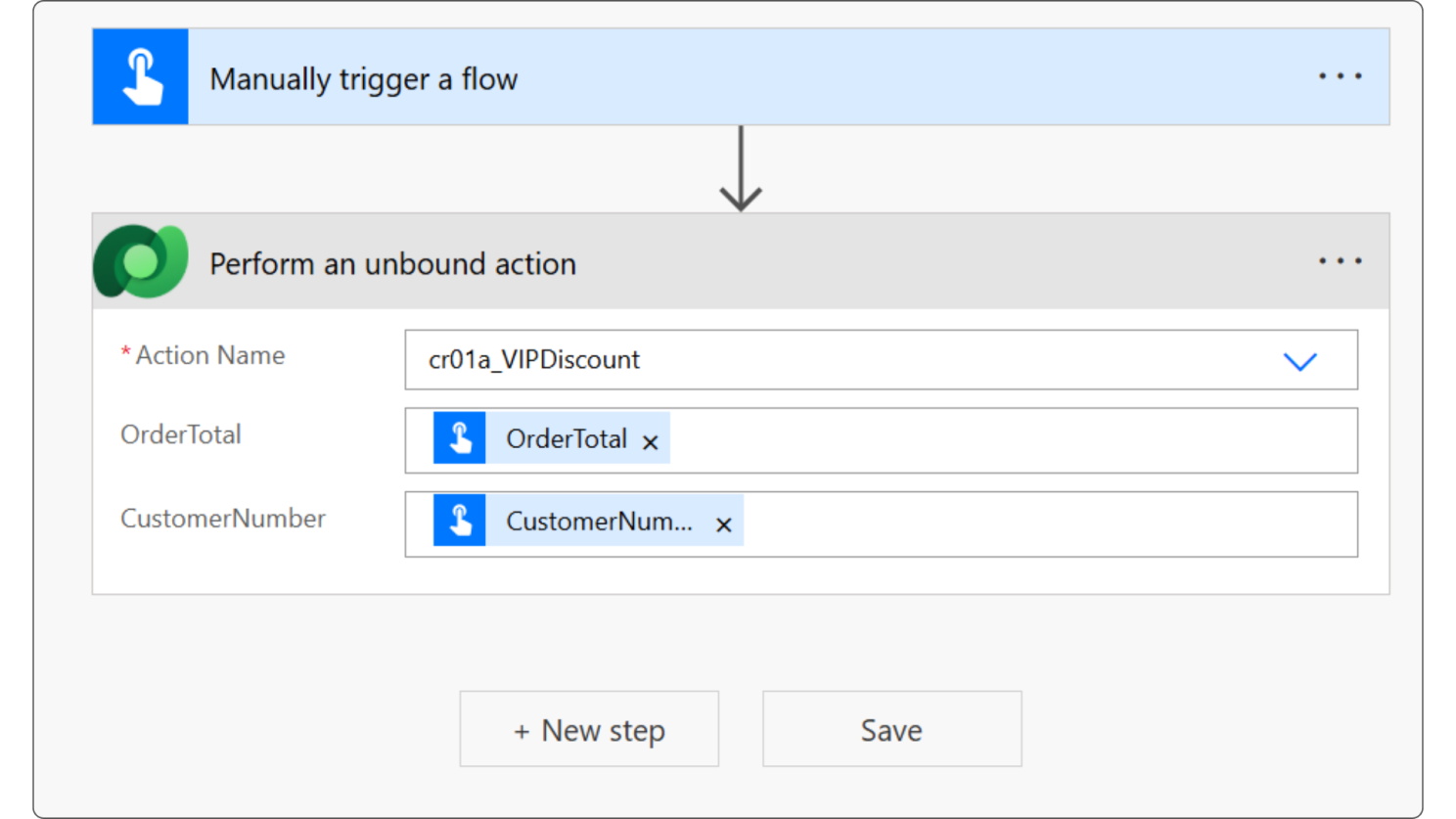
Added a “Perform an unbound action” step in the flow, calling the cr01a_VIPDiscount function and passing OrderTotal and CustomerNumber from the trigger inputs. This is how Power Automate calls a Dataverse Power Fx function — the function runs server-side and returns the boolean result directly to the flow.
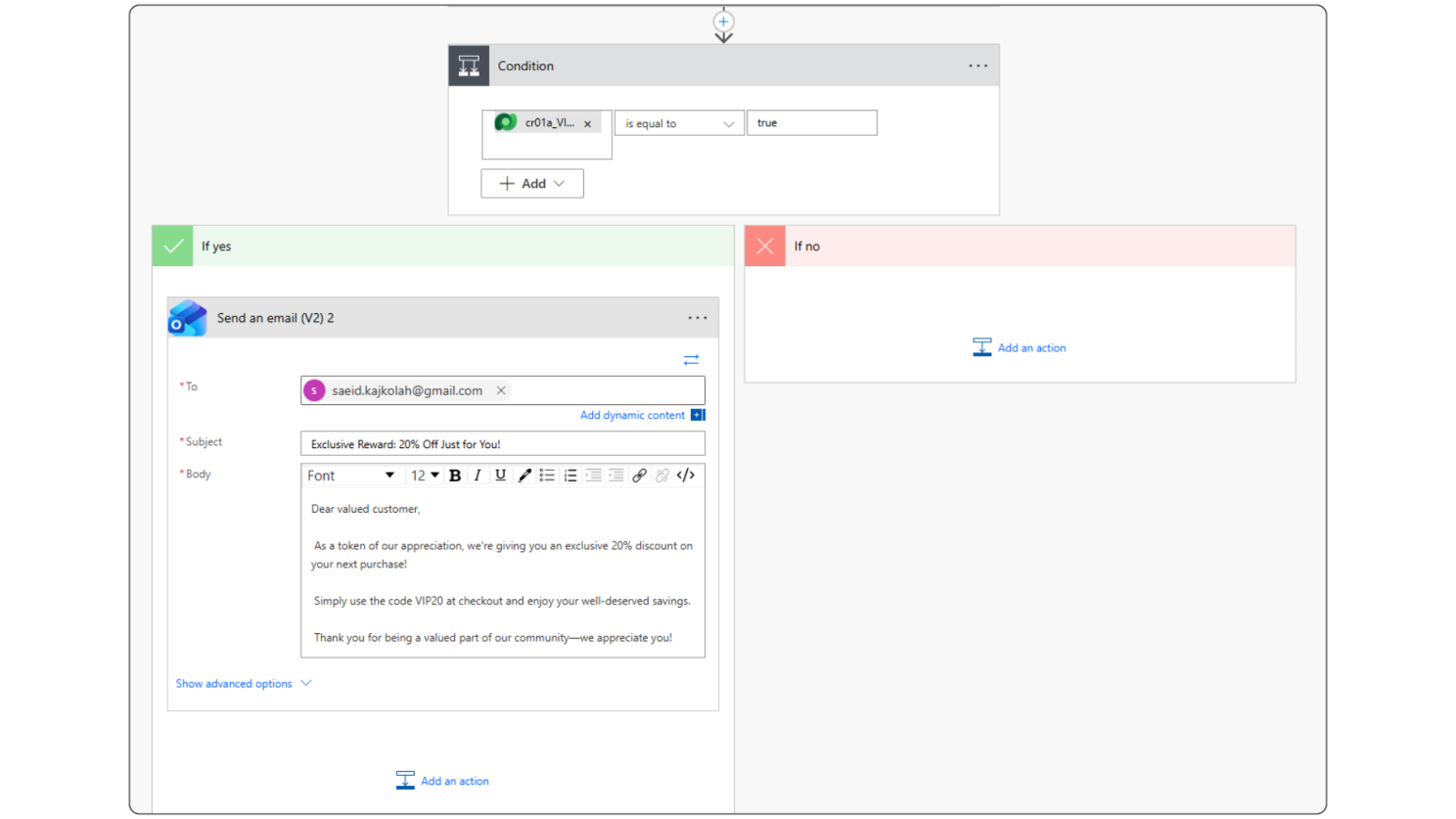
A condition checks whether CodeStatus equals true. If yes, an email fires automatically with the VIP20 discount code, the customer’s name in the greeting, and a personalized message. If no, the flow exits cleanly — no email, no error, nothing to clean up manually.
Ran a manual test by entering OrderTotal and CustomerNumber directly in Power Apps. The condition triggered correctly, the email action fired, and the full flow ran successfully. Verified the complete path from input to Dataverse function to condition to email dispatch.
Why Power Fx over app or flow logic?
The biggest decision in this build was where to put the eligibility logic. It could have lived inside the canvas app, or inside the flow as a set of condition branches. Both would have worked initially. But both would have created the same problem: every new app or flow that needs this check would have to rebuild it from scratch — and any change to the rules would need to be updated in every place separately.
- Logic runs server-side — faster and consistent regardless of what calls it
- One function reused across canvas apps, flows, and model-driven apps without rebuilding
- Update the business rule once and every integration picks it up automatically
- No connector overhead or extra steps to query data from your own Dataverse tables
- Testable independently in Dataverse before any app or flow is connected